Exploring your discourse graph
By Discourse Graphs · Published
Opening the discourse context
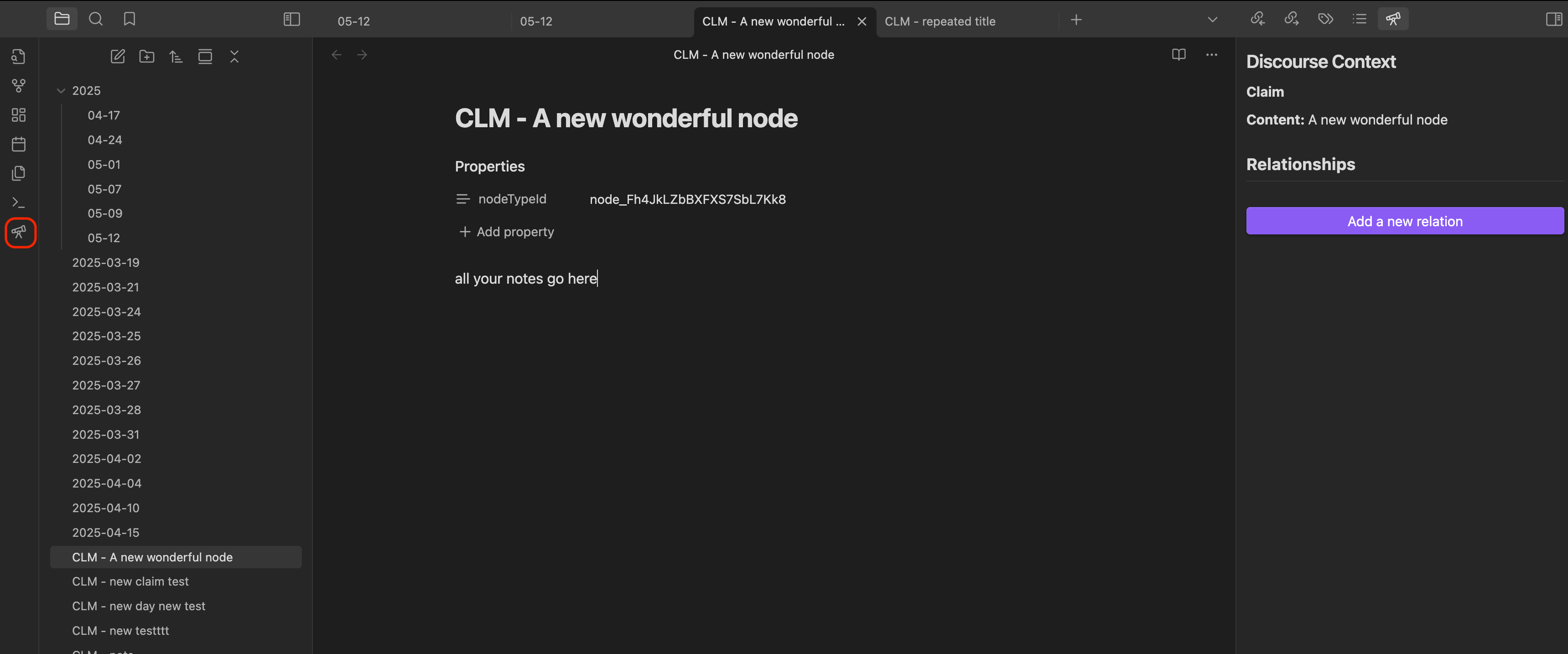
The discourse context view is your main tool for exploring relationships between nodes in your graph. There are several ways to open it:
Method 1: Using the sidebar icon
Click the telescope icon on the left sidebar to toggle the discourse context view.
Method 2: Using the command palette
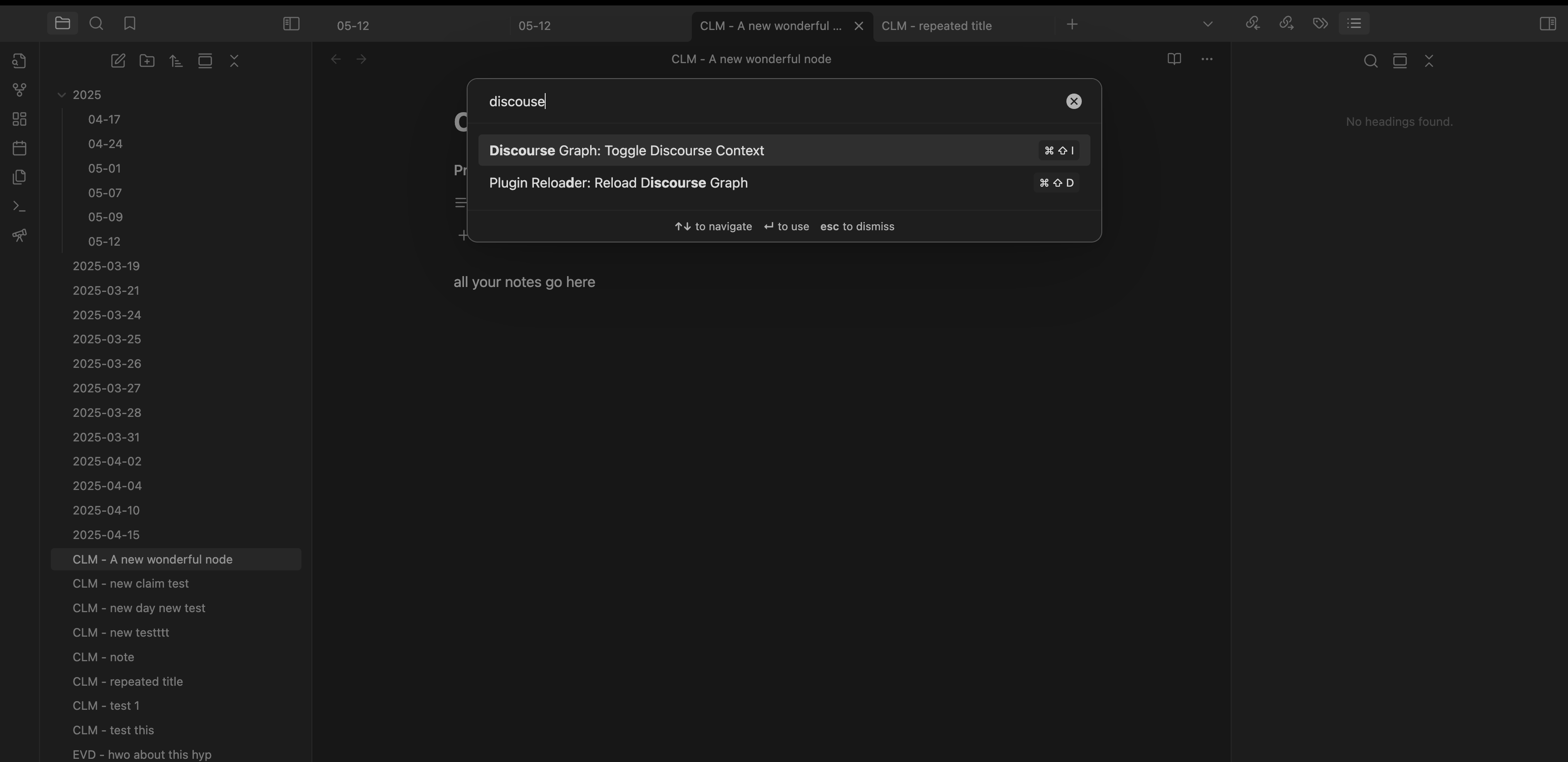
- Open the Command Palette (
Cmd/Ctrl + P) - Search for “discourse context”
Method 3: Using hotkeys
You can configure a custom hotkey in the Obsidian settings to quickly toggle the discourse context view.
- Configure a custom hotkey in settings
Using the discourse context
The discourse context view shows you:
- All relationships the current node has with other nodes
- Types of relationships (supports, contradicts, etc.)
- Quick access to related nodes
- Tools for creating new relationships
You can use this view to:
- Navigate between related nodes
- Understand how nodes connect to each other
- Add new relationships
- Get a quick overview of your graph structure
Last updated on